Integration
Lightpath OS × ISAAC
Run your architectural lighting from inside ISAAC. Lightpath OS brings the content, pixel mapping, and browser UI; ISAAC orchestrates, schedules, and watches the whole AV install.
The split
Who does what.
-
ISAAC orchestrates and schedules across the whole install.
-
Lightpath OS brings content, pixel mapping, and the operator UI.
-
Telemetry flows up to the BMS/ISAAC; the Lightpath OS UI runs inside ISAAC's control panel.
The connection
How it works
- 01
Native scheduling through ISAAC
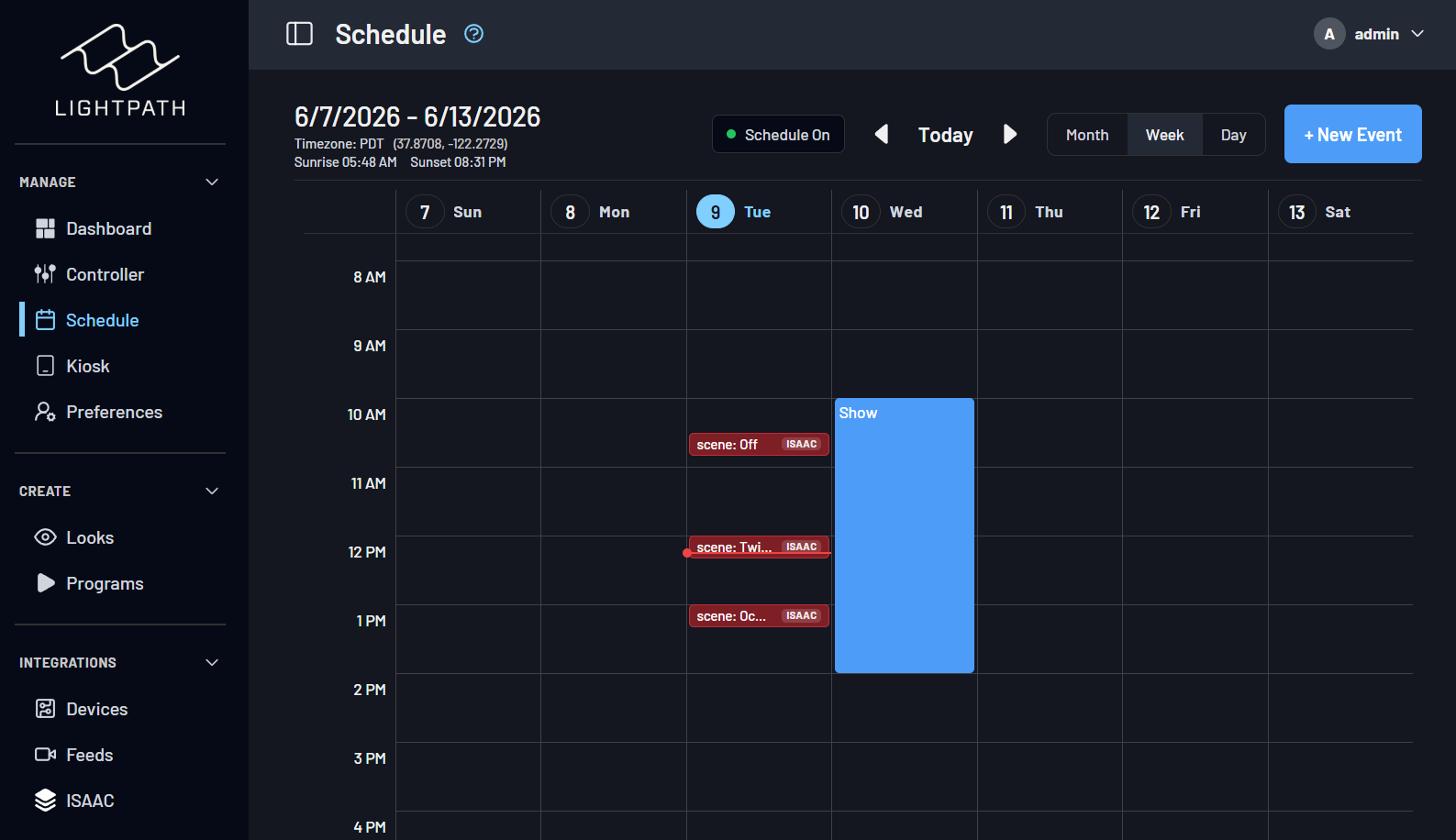
schedule a Lightpath OS look, sequence, scene, playlist, or action from ISAAC’s calendar and Lightpath OS runs it on time. ISAAC events also appear in the Lightpath OS calendar.
- 02
Live telemetry, automatically
Lightpath OS surfaces system status, device parameters, and content to ISAAC as variables, so ISAAC dashboards, automations, and alerts see what Lightpath OS sees the moment it sees it.
- 03
One operator surface
once configured, the Lightpath OS interface is reachable from ISAAC’s control-panel surface, so operators run the show from one place instead of bouncing between tools.
- 04
Speaks
OSC, HTTP, and ISAAC variables.
What you get
-
One source of truth across the AV install.
-
Lighting scheduled alongside everything else ISAAC runs.
-
Lightpath OS telemetry inside ISAAC dashboards and alerts.
-
A single control surface for operators.
-
Built for permanent installs that run for years.
Proof
“We're thrilled to bring Lightpath into the ISAAC ecosystem. Permanent architectural lighting projects increasingly sit inside larger AV installs — and pairing Lightpath's creative flexibility with ISAAC's orchestration layer means designers, integrators, and operators can all work from a single source of truth. The Smart Monkeys team has been a pleasure to work with.”
Lightpath OS runs on every install Digital Ambiance ships.